> ## Documentation Index
> Fetch the complete documentation index at: https://jugarmu.com/ayuda/llms.txt
> Use this file to discover all available pages before exploring further.
# ¿Qué son las Herramientas GM?
> Anuncios, Ajustes, Eventos, Plugins, Consola
## Miralo en la captura
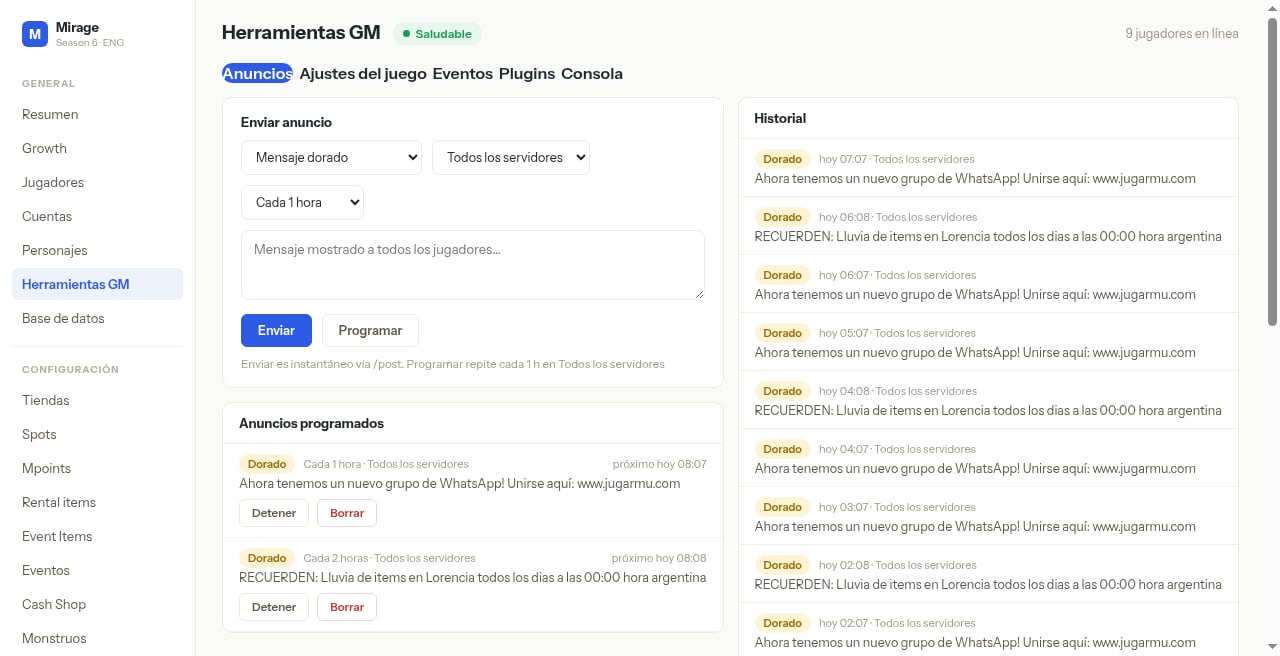
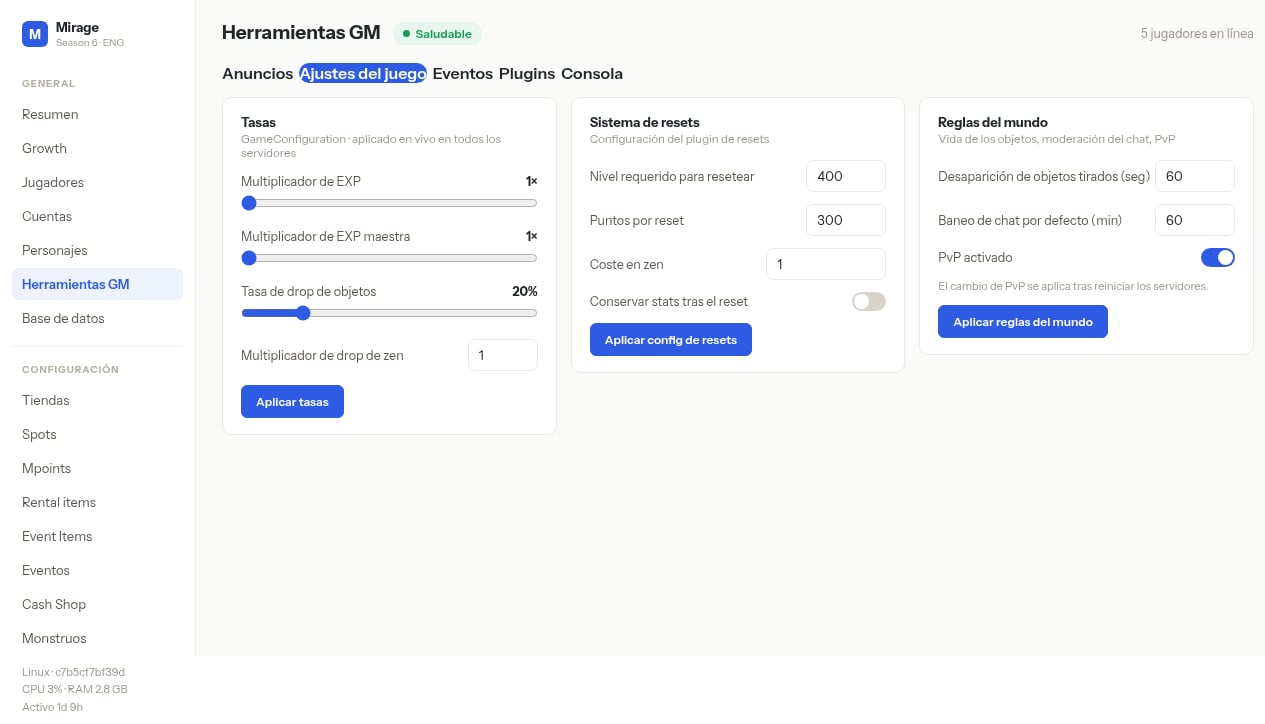 En estas pantallas fijate en las pestañas **Anuncios**, **Ajustes del juego**, **Eventos**, **Plugins** y **Consola**. En Anuncios ves **Enviar anuncio**; en Ajustes ves **Tasas**, **Sistema de resets** y **Reglas del mundo**.
## Qué hacer
Andá a **GENERAL → Herramientas GM**.
Elegí la pestaña según la tarea (Anuncios para mensajes; Ajustes del juego para tasas/resets/reglas).
En estas pantallas fijate en las pestañas **Anuncios**, **Ajustes del juego**, **Eventos**, **Plugins** y **Consola**. En Anuncios ves **Enviar anuncio**; en Ajustes ves **Tasas**, **Sistema de resets** y **Reglas del mundo**.
## Qué hacer
Andá a **GENERAL → Herramientas GM**.
Elegí la pestaña según la tarea (Anuncios para mensajes; Ajustes del juego para tasas/resets/reglas).