> ## Documentation Index
> Fetch the complete documentation index at: https://jugarmu.com/ayuda/llms.txt
> Use this file to discover all available pages before exploring further.
# ¿Cómo abro la tienda de un mercader?
> Seleccionar NPC y ver la grilla
## Miralo en la captura
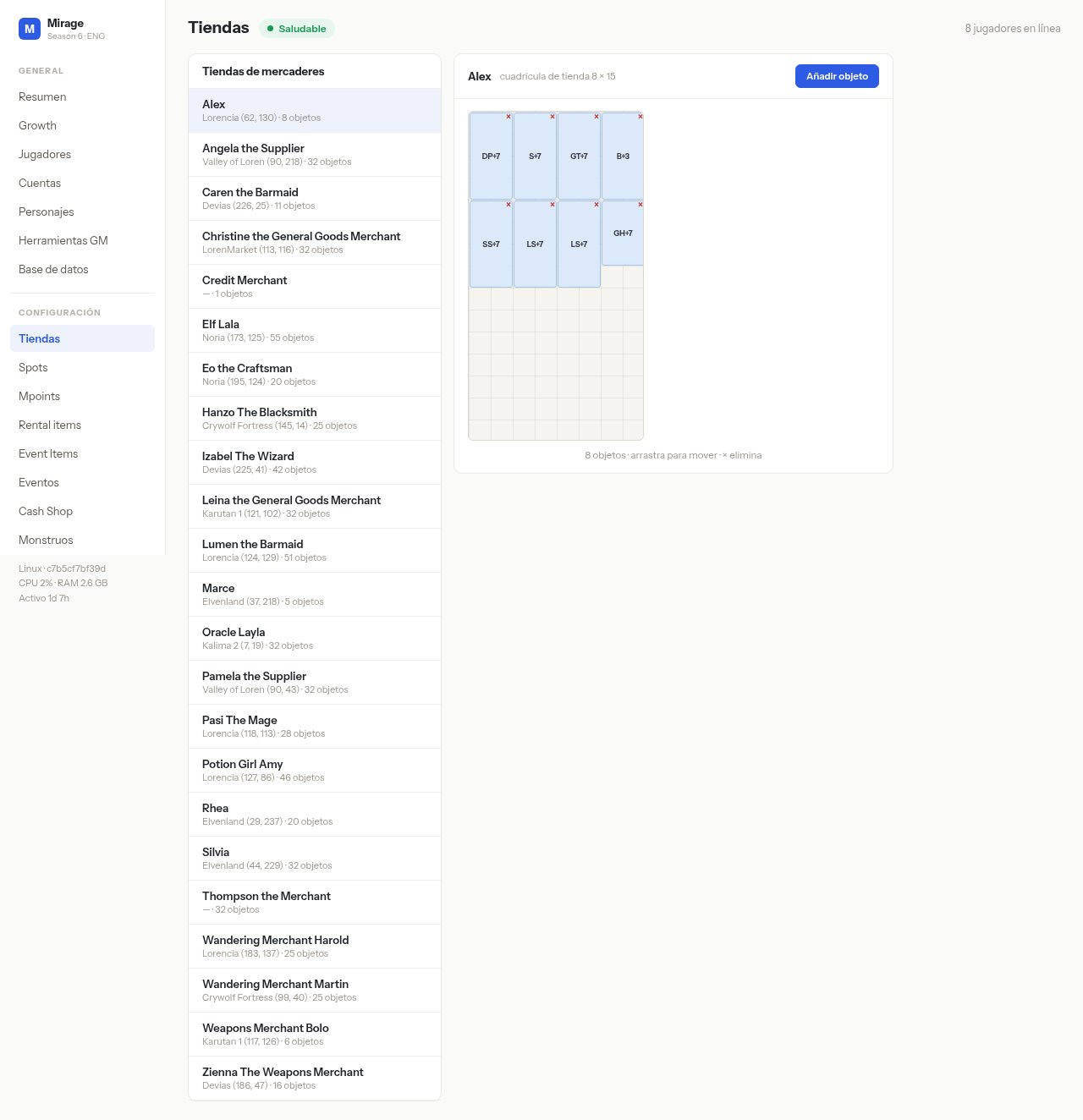 En esta pantalla fijate en: el mercader resaltado en la lista (p. ej. **Alex**), el título de la grilla a la derecha, los tiles ocupados con **x** roja, y **Añadir objeto**.
## Qué hacer
Andá a **CONFIGURACIÓN → Tiendas**.
En la lista, clic en el mercader (p. ej. **Alex**).
La grilla muestra los items actuales; cada tile ocupado tiene una **x** roja.
En esta pantalla fijate en: el mercader resaltado en la lista (p. ej. **Alex**), el título de la grilla a la derecha, los tiles ocupados con **x** roja, y **Añadir objeto**.
## Qué hacer
Andá a **CONFIGURACIÓN → Tiendas**.
En la lista, clic en el mercader (p. ej. **Alex**).
La grilla muestra los items actuales; cada tile ocupado tiene una **x** roja.