> ## Documentation Index
> Fetch the complete documentation index at: https://jugarmu.com/ayuda/llms.txt
> Use this file to discover all available pages before exploring further.
# ¿Cómo disparo un evento manualmente?
> Botón EMPEZAR evento
## Miralo en la captura
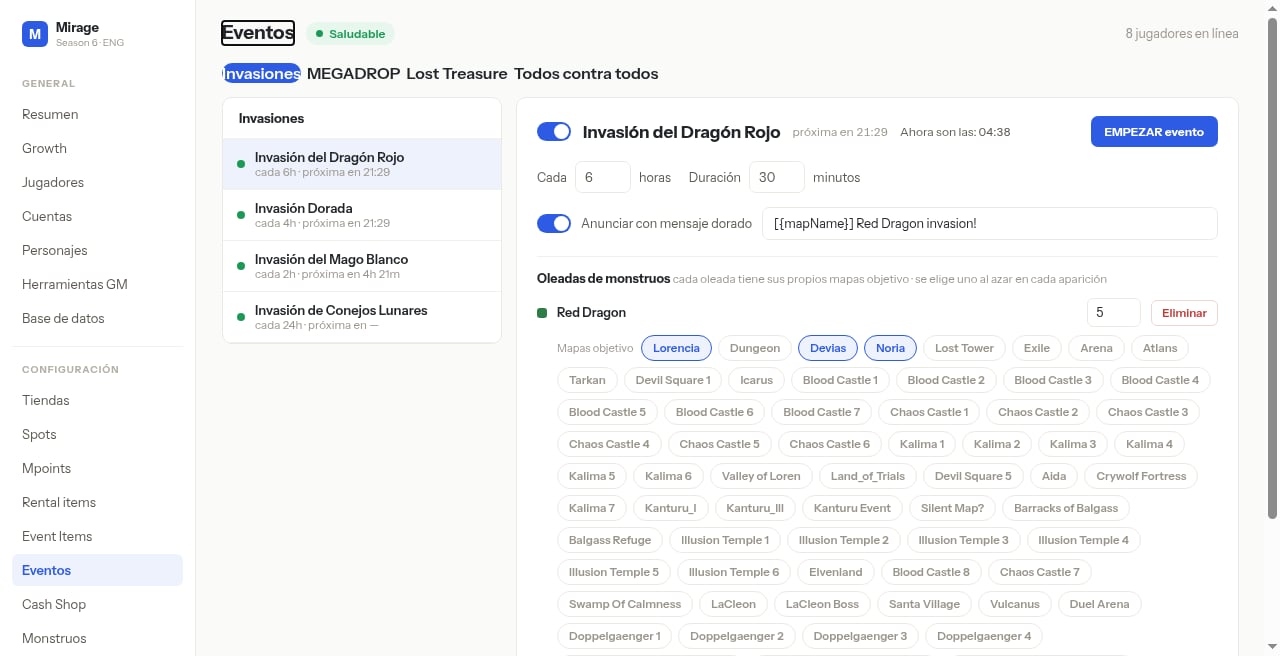
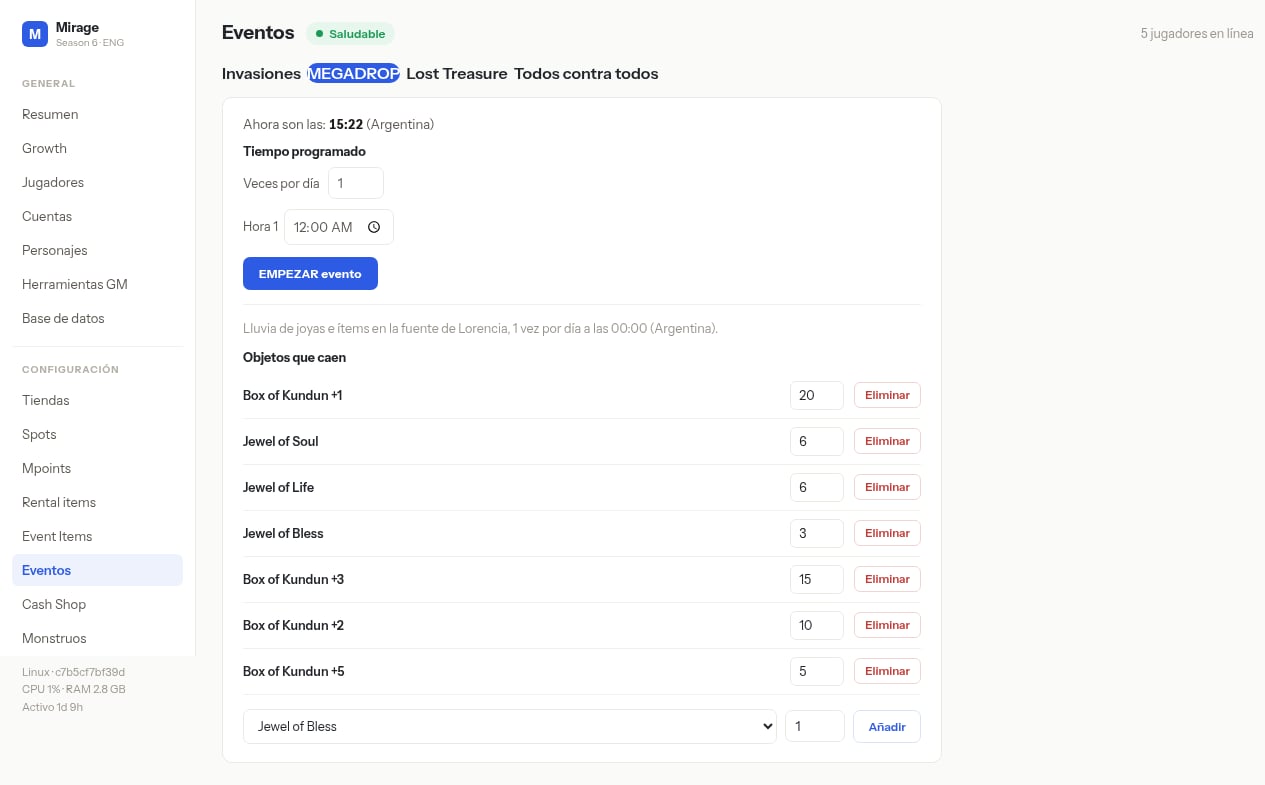 En estas pantallas fijate en el botón azul **EMPEZAR evento** arriba a la derecha del detalle del evento.
## Qué hacer
Seleccioná el evento (invasión o MEGADROP).
Revisá que la configuración esté correcta.
Pulsá **EMPEZAR evento** solo si querés disparo inmediato.
## Si ves esto…
| Síntoma | Qué revisar |
| ------------------ | ------------------------------------------------ |
| EMPEZAR sin efecto | Permisos; switch desactivado; hora del servidor. |
En estas pantallas fijate en el botón azul **EMPEZAR evento** arriba a la derecha del detalle del evento.
## Qué hacer
Seleccioná el evento (invasión o MEGADROP).
Revisá que la configuración esté correcta.
Pulsá **EMPEZAR evento** solo si querés disparo inmediato.
## Si ves esto…
| Síntoma | Qué revisar |
| ------------------ | ------------------------------------------------ |
| EMPEZAR sin efecto | Permisos; switch desactivado; hora del servidor. |